
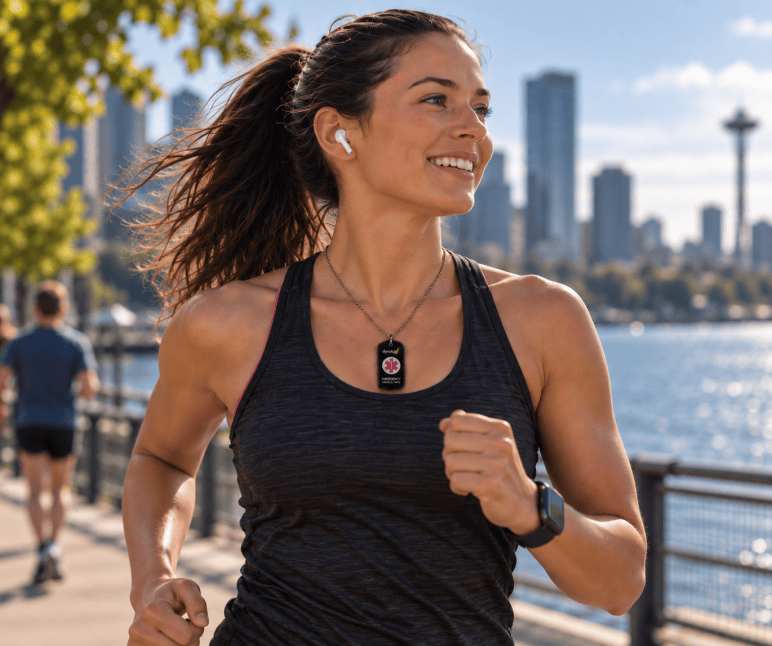
Imagine being unable to speak during a medical emergency. Would a paramedic have everything they need to treat you safely—or just whatever could squeeze onto two lines of stamped metal?
That is the real difference between traditional engraved tags and modern QR medical IDs. Engraved IDs never run out of battery or need a signal, while QR IDs hold your full medication list, allergies, and emergency contacts—and update anytime without buying a new tag. Below is a realistic look at where each shines, where each falls short, and why combining them may be the smartest move.
| Feature | Engraved Medical ID | QR Medical ID |
| Read Speed | Instant at a glance | Seconds via any phone camera |
| Information Capacity | 2–4 short lines (name, key condition, 1 contact) | Your full record (medications, allergies, doctors, documents) |
| Updating Info | Requires buying and engraving a new tag | Update online anytime for free |
| Internet / Power Needed? | None—works anywhere, anytime | Requires a smartphone and cell/Wi-Fi signal |
| Best Use Case | Life-threatening conditions needing immediate action | Complex medical histories or changing medications |
What an engraved medical ID shows
An engraved medical ID has room for a few short lines. Most people fit a name, one or two conditions, an allergy, and a phone number.
- Good: it needs no phone and no internet.
- Limit: it holds very little. There is no room for a medication list, doses, doctors, or insurance.
- Limit: it cannot change. A new medication or a new phone number means a new bracelet.
What a QR medical ID shows
A QR medical ID, such as a Dynotag SuperAlert ID, carries a QR code and a short web address. A responder points a phone camera at the code, or types the web address into any browser. No app is needed. A page opens with the medical record you set up.
That record can hold much more than a bracelet and can be read in seconds using any smartphone:
- Conditions, allergies, and implants
- Every medication and supplement
- Doctors and emergency contacts
- Insurance details
- Photos and files, such as a care plan
You, the owner, can change any of it from your phone or computer. The tag itself never changes, so the person who scans it always sees the current record.
You decide who sees what
People often worry that a QR code puts their health details in public. With a Dynotag, you set each section of the record to one of three privacy levels:
- Green: anyone who scans the tag can see it. Use this for what a responder needs first.
- Yellow: the viewer must enter a password. By default this is the key code printed on the tag, so only someone holding the tag can open it.
- Red: only you can see it when you are signed in.
You and loved ones know when the tag is scanned
When someone views the tag, Dynotag can email you about the event. The email shows the time. It also shows the location if the viewer shares it. For a family caring for a parent, this can be the first sign that something has happened.
The honest limits of a QR medical ID
- The responder needs a phone and a data connection.
- It takes a few seconds longer than reading an engraving.
- The record is only as good as what you put in it. Keep it current.
Which one should you choose?
- One condition that rarely changes: an engraved bracelet may be enough.
- Several conditions, many medications, or details that change: a QR medical ID fits better, because it holds the whole picture and stays current.
- Want both speed and detail: wear both. The engraving gives the headline. The QR code gives the rest.
Whichever you choose, pick one that carries a clear medical symbol. EMTs are trained to check wrists and necks for the Star of Life symbol – responders look for that symbol before they look for anything else.
Get the best of both worlds. Set up an updatable emergency profile in minutes and carry it on a durable bracelet, necklace, or tag. Browse Dynotag SuperAlert ID options in the Dynotag store.


